

Get started with Show3D
Choose how to create, inspect your scene, and save or export the result.
Choose your starting point
Open the editor and choose Agent to build a scene from instructions. You can also model by hand or generate an asset from text or images. Agent edits objects in your scene; generation creates an asset to inspect and use.
| Choose | Best for |
|---|---|
| 3D Agent | Create objects, scenes and object animations from descriptions and optional reference images. Continue refining them in the editor. |
| Text to 3D | Generate one model from a description of its shape, materials and style. |
| Image to 3D | Generate one model from reference images of the same object. |
| Hands-on tools | Control geometry, materials, sculpting, animation and rendering directly. |
Create and inspect
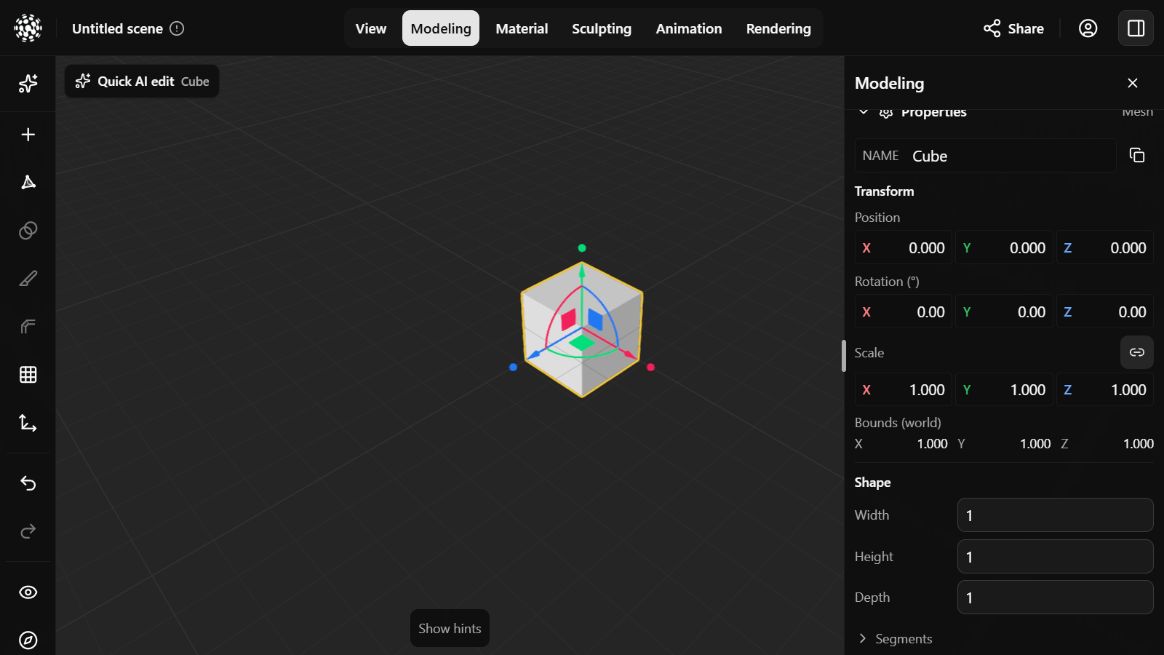
In an empty editor, choose Add Shape to start with a cube. Use the viewport hints to orbit, pan and zoom. Select the cube to see its properties; give objects meaningful names so you can find them in the scene list or refer to them in Agent requests.
Save, render and export
Save an editable scene to keep working later, render an image to present it, or export a model for another 3D app.
- Sign in, then add or import an object in a scene you own. Changes save automatically. Open the scene name in the header to check the status and confirm it is saved before leaving.
- For a picture, switch to Rendering, adjust the view, lighting, effects and resolution, then use Export image to download a PNG.
- For a 3D file, open the scene name in the header and choose Export 3D… and a format. To share the online scene, use Share and check its private or public status.
Practice in Show3D
Open the editor and follow the steps with your own scene.