Show3D
Community
Solutions
Learn
Pricing
Create
—
Documentation
Learn
Documentation
Materials & textures
Materials & textures
Assign materials, control texture mapping, and paint the surface of your model.
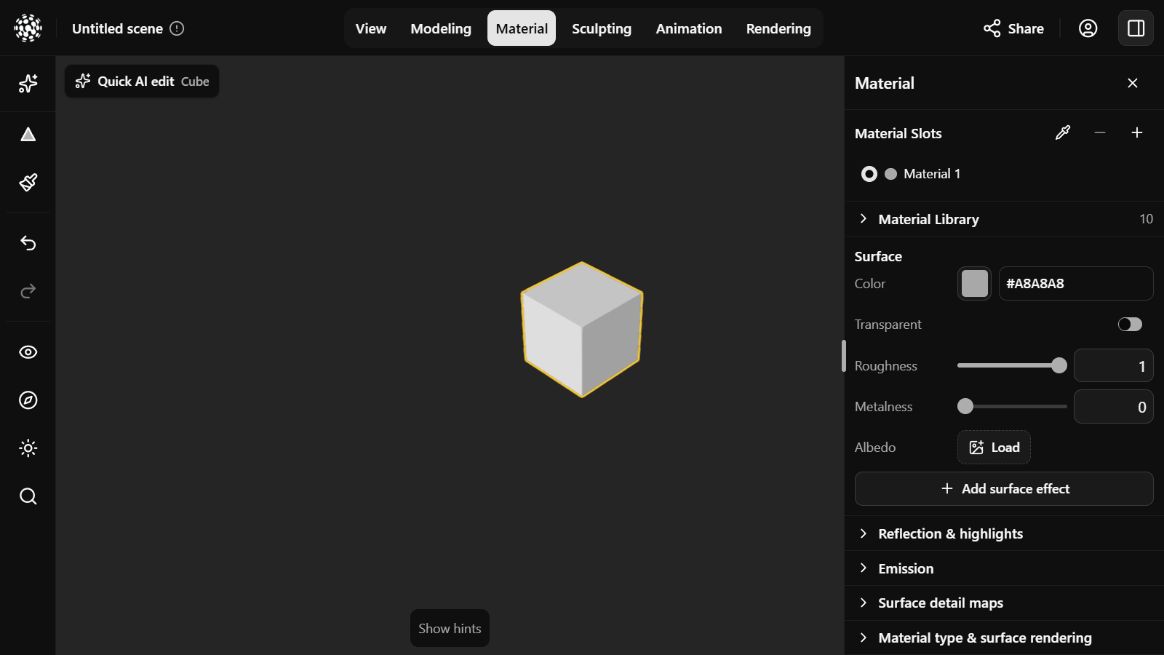
The Material workspace edits the selected mesh’s surface. Available controls depend on its material type.
Change a material
Choose a material slot or preset and adjust its color, textures and available surface properties.
Assign a face material
Assign a material slot to selected faces to give part of a mesh a different finish.
Adjust texture mapping
Adjust repeat, offset, rotation and wrapping for existing texture maps on a material.
Paint a surface
Paint color directly onto a supported mesh texture with brush size, opacity and hardness controls.
All operations
Modeling essentials