

Generate and process a 3D asset
Generate a model from text or images, inspect it, and create new surface variations with Retexture.
What is a 3D asset?
In Show3D, an asset is a 3D model generated with AI or uploaded from a file. Add assets to a scene and arrange them with other objects. A scene brings those objects and their settings together.
Choose an input
Text-to-3D starts from a description. Image-to-3D starts from a reference image, with a multi-view option for additional views. In the homepage generator, supported images are PNG, JPG, and WebP up to 10 MB each; multi-view input requires a front image and at least one additional view.
Generate and review
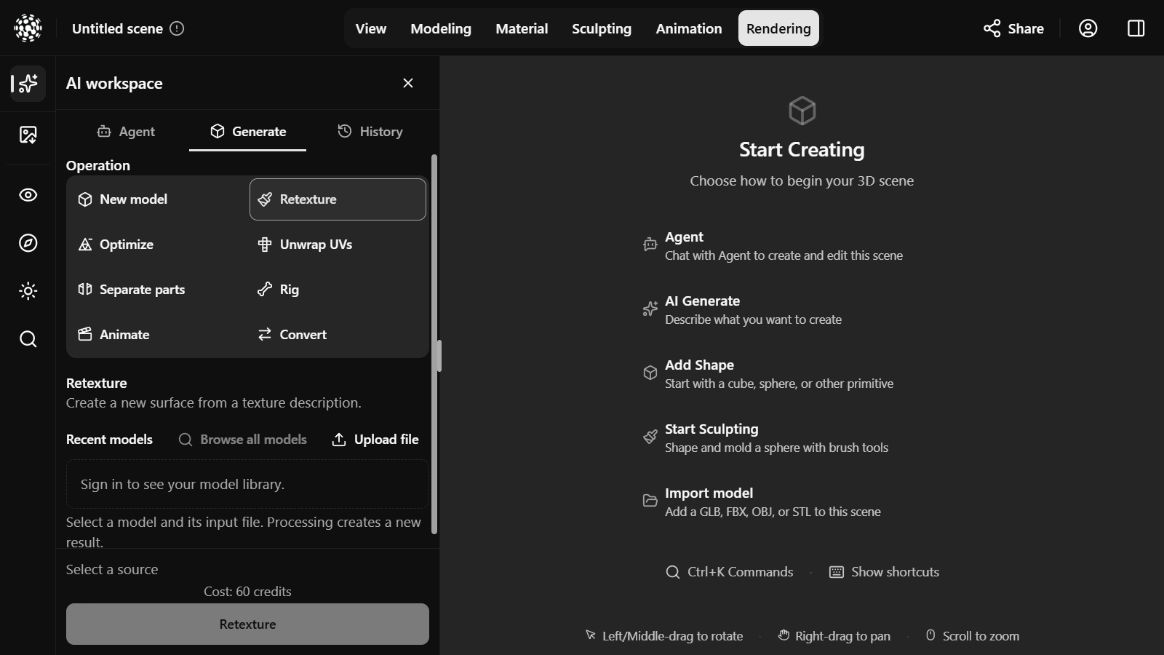
Homepage generation includes PBR material maps. In the editor, open AI workspace → Generate → New model to choose inputs and review the available settings and credit requirement. A completed job is an asset; add it to the scene when you are ready to arrange or edit it.
- Describe one object’s shape, proportions, materials and style, or provide clear views of the same object.
- Review the inputs, available options and displayed cost, sign in, then submit generation.
- Check the job in the AI workspace’s History tab. When it is ready, inspect the model and choose Add to scene.
A real Text to 3D result
This helmet was generated by its creator in Show3D. The prompt specifies one object, the main silhouette, metal finishes and surface wear; the English translation of the submitted Chinese prompt appears below. This actual result is an example, not a promise that another generation will match it.
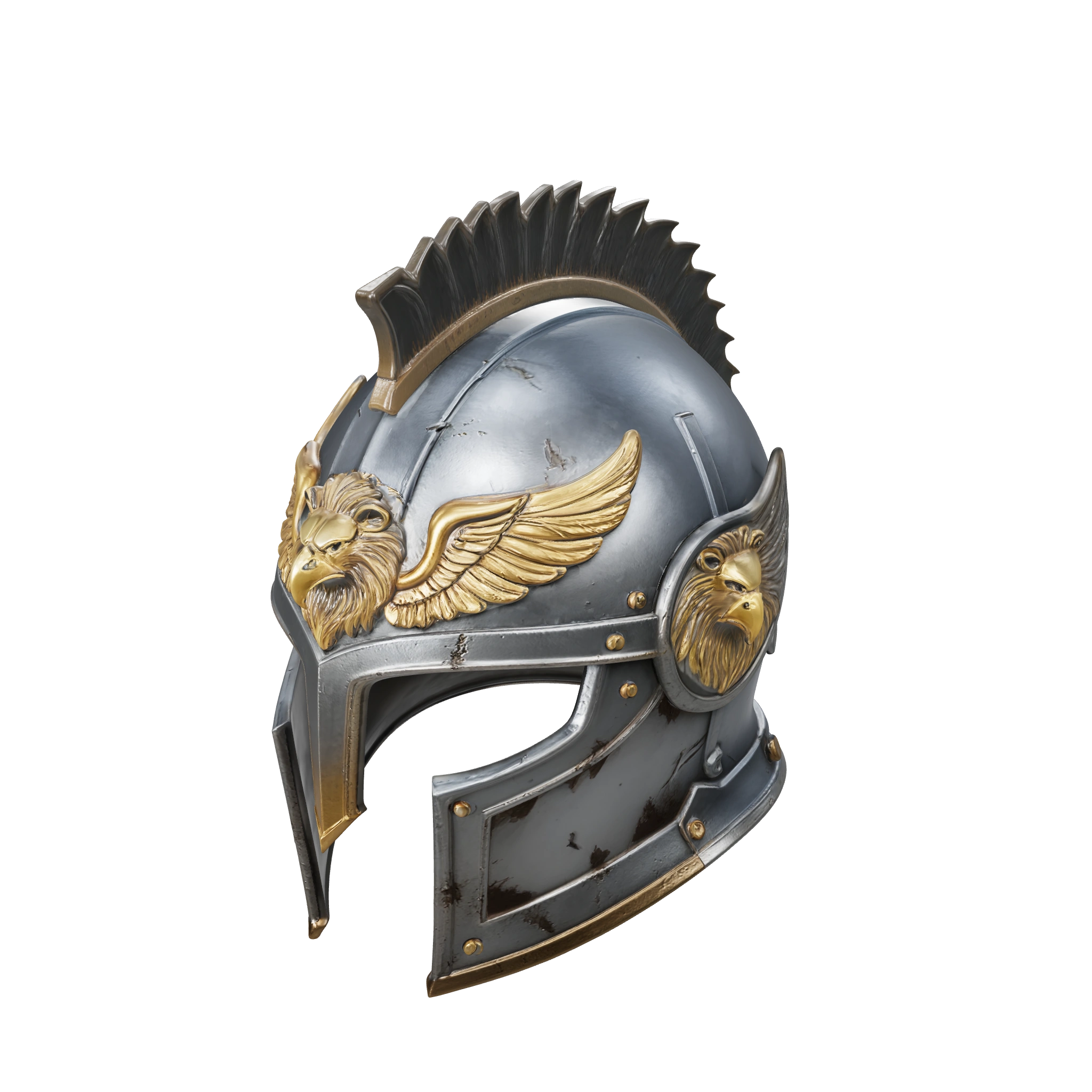
A fantasy griffin knight’s helmet with a complete, substantial dark silver steel shell and a clear T-shaped eye opening. Brass griffin-wing reliefs on the forehead and cheeks, with a low crest integrated into the helmet. Fine wear along the metal edges and natural dark aging in the grooves. A detailed, realistic game-prop style. One helmet on its own, compact construction, balanced left and right outlines, and a natural interior opening.
Create a new surface with AI Retexture
Retexture uses an existing model file and a surface description to create a separate result. It does not directly paint the mesh currently selected in your scene. For direct material edits or brush strokes, use the Material workspace.
- Open AI workspace → Generate → Retexture.
- Choose a source asset and input file from Recent models or Browse all models, or use Upload file. Follow the formats and size limits shown by the selector.
- Describe the desired colors, texture and surface style. Review PBR Material and the current cost, then submit the task.
- Find the new result in History and inspect its shape and material maps. Choose Add to scene when ready, or download an available result format.
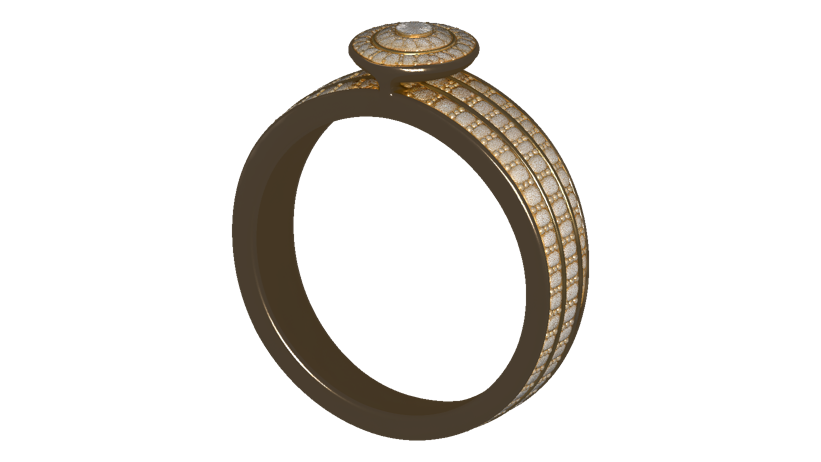
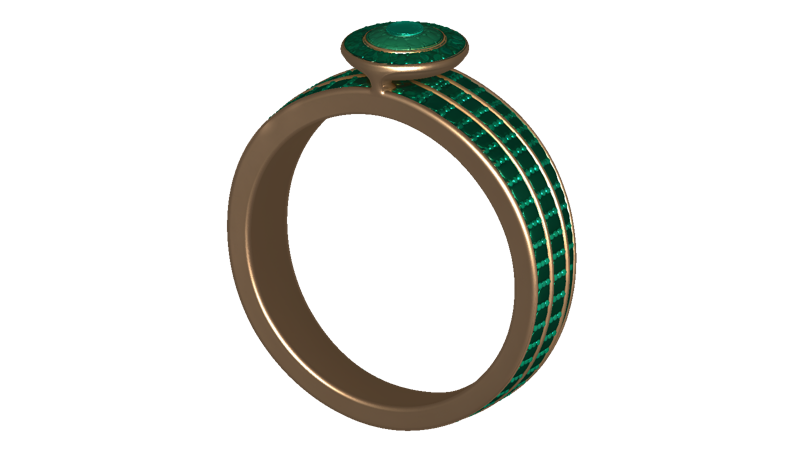
Source model and retexture result
The source ring and green variation are real files from the same creator’s Show3D asset library. Compare the surface treatment and inspect the full model before using a generated variation.
Continue modeling
Generated assets can be a starting point for a scene. Check topology, material appearance, and scale before making edits or exporting. Use Agent or direct modeling tools for the next change.